

Level Up Your Gaming Experience: The Advantages of Gaming Chairs
Feb 16, 2025
Gaming Chairs vs. Ordinary Chairs

The Importance of Gaming Chairs in Enhancing the Gaming Experience
Ordinary chairs, though adequate for daily use, fall short when it comes to meeting the specific demands of prolonged gaming sessions. They often lack crucial ergonomic features and durability, potentially leading to discomfort and a variety of injuries, including back pain and neck strain. The rigid seating and limited adjustability of these chairs fail to provide the necessary support for extended periods of sitting in one position. In contrast, gaming chairs are specifically designed to cater to the unique needs of gamers, offering a significant upgrade in comfort and functionality.
Ergonomic Features and Comfort
Gaming chairs are engineered with a range of ergonomic features to enhance comfort and provide crucial support for the spine and joints. High-density foam cushioning ensures long-lasting comfort, providing a firm yet plush seating experience that can withstand the wear and tear of frequent use. Adjustable lumbar and headrest pillows accommodate individual preferences, offering tailored support for the lower back and neck. These chairs also come with adjustable features like seat height, backrest angle, and armrest positions, allowing gamers to customize their setup for maximum comfort and reduced strain. The ability to fine-tune these features ensures that gamers can maintain proper posture and reduce the risk of discomfort and injury, even during marathon gaming sessions.

Ergonomic Design
Gaming chairs feature an ergonomic design that aligns seamlessly with the natural curves of the spine, offering superior lumbar support and effectively reducing pressure points. This thoughtful design not only enhances comfort but also plays a pivotal role in preventing back pain and discomfort, which are common complaints among gamers who spend long hours seated. By cradling the spine in its natural position, these chairs help maintain proper posture and reduce fatigue, allowing gamers to play for extended periods without feeling the need to take breaks due to physical discomfort.
Adjustability
One of the most standout features of gaming chairs is their unparalleled adjustability. From seat height and backrest angle to armrest positions and headrest pillows, gamers can fine-tune their chair to match their exact specifications and preferences. This high level of customization ensures maximum comfort and reduces strain on various parts of the body, such as the neck, shoulders, and lower back. By allowing gamers to adjust their chair to suit their individual needs, these features enhance overall gaming performance by minimizing distractions and fostering a more immersive and enjoyable experience.
High-Density Foam Cushioning
Gaming chairs utilize high-density foam cushioning to provide unparalleled long-lasting comfort. This premium material is significantly more durable and resilient than traditional foam, ensuring that the chair retains its shape and support even after prolonged use. The dense foam structure prevents sagging and provides consistent cushioning, making it ideal for gamers who spend countless hours seated.
Breathable Materials
To ensure that gamers stay cool and comfortable during prolonged gaming sessions, many gaming chairs feature breathable materials such as mesh or perforated leather. These materials allow for optimal air circulation, reducing sweating and keeping the chair fresh and pleasant to sit on. By incorporating breathable fabrics, gaming chairs help maintain a comfortable temperature, preventing discomfort and enhancing the overall gaming experience.
Built-In Audio
For an immersive audio experience, some high-end gaming chairs come equipped with built-in speakers and subwoofers. This feature eliminates the need for external speakers, providing a seamless and integrated soundscape that enhances game audio. With built-in audio, every detail of the game becomes more vivid and realistic, adding an extra layer of immersion and enjoyment to the gaming experience.
RGB Lighting
To add a touch of personality and customization to their gaming setup, many gaming chairs feature RGB lighting. Gamers can choose from a wide range of colors and effects to match their unique style and gaming aesthetics. This feature not only adds a visual flourish to the gaming space but also allows gamers to express their individuality and create a personalized atmosphere that enhances their gaming experience.
Buying Guide for Gaming Chairs

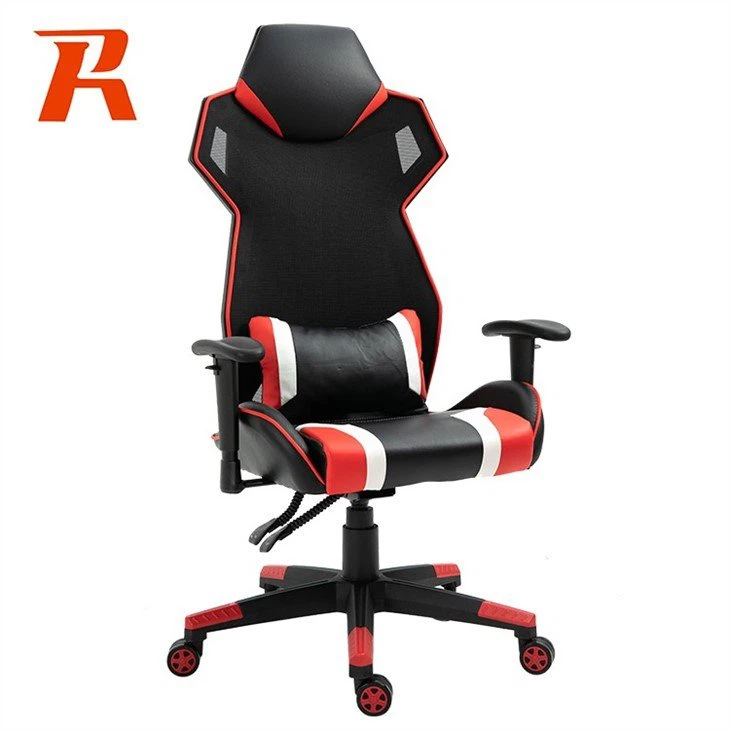
Determine Your Budget
Gaming chairs come in a range of prices, from budget-friendly options to high-end models. Determine how much you're willing to spend and stick to your budget. Keep in mind that higher-priced chairs often come with more features and better materials, but you don't necessarily need to break the bank to get a good-quality chair.
Consider Ergonomic Features
Ergonomics are crucial when choosing a gaming chair. Look for chairs with adjustable features such as seat height, backrest angle, and armrest positions. These adjustments allow you to customize the chair to your body type and preferences, reducing strain and enhancing comfort.
Choose the Right Size
Gaming chairs come in different sizes, so it's essential to choose one that fits your body type and the space in your gaming area. Measure your height, weight, and the dimensions of your gaming area before shopping, and use these measurements to find a chair that suits you.
Evaluate Material Quality
The material quality of a gaming chair can significantly affect its comfort, durability, and breathability. Look for chairs made from high-density foam cushioning and breathable materials such as mesh or perforated leather. Avoid chairs with low-quality materials that may sag or wear out quickly.
Read Reviews
Before making a purchase, read reviews from other gamers who have used the chair you're considering. This can provide valuable insights into the chair's comfort, durability, and overall performance. Pay attention to both positive and negative reviews, and consider any common issues or complaints mentioned by multiple users.
Common Faults and Solutions for Gaming Chairs
Wobbly Base
If your gaming chair's base wobbles, it may be due to loose screws or worn-out casters. Check the base and tighten any loose screws using an Allen key or wrench. If the casters are worn out, consider replacing them with new ones designed for your chair model.
Sagging Cushion
Over time, the cushioning in your gaming chair may start to sag, reducing comfort. This is often due to prolonged use or exposure to heat and moisture. To extend the life of your cushion, avoid sitting on the edge of the chair and keep it away from direct sunlight and heat sources. If sagging occurs, consider replacing the cushion with a new one designed for your chair model.
Stuck Adjustments
If your gaming chair's adjustments become stuck or difficult to move, it may be due to dirt, debris, or rust. Clean the adjustment mechanisms regularly with a damp cloth and a mild detergent to remove any build-up. Apply a small amount of lubricating oil to moving parts to keep them smooth and easy to adjust.
Cracked or Broken Parts
If your gaming chair develops cracks or breaks, it may be due to excessive wear and tear or manufacturing defects. In this case, contact the manufacturer's customer service department to inquire about repair options or replacement parts. If the chair is still under warranty, you may be eligible for free repairs or replacements.
Electrical Issues (for chairs with built-in audio or lighting)
If your gaming chair's electrical features stop working, check the power supply and connections. Ensure that the chair is plugged into a working outlet and that all connections are secure. If the issue persists, consult the manufacturer's troubleshooting guide or contact customer service for assistance.


